Illumine (Mobile App)
Redesigning Communication Between Parents and Teachers for Better Engagement
About Illumine
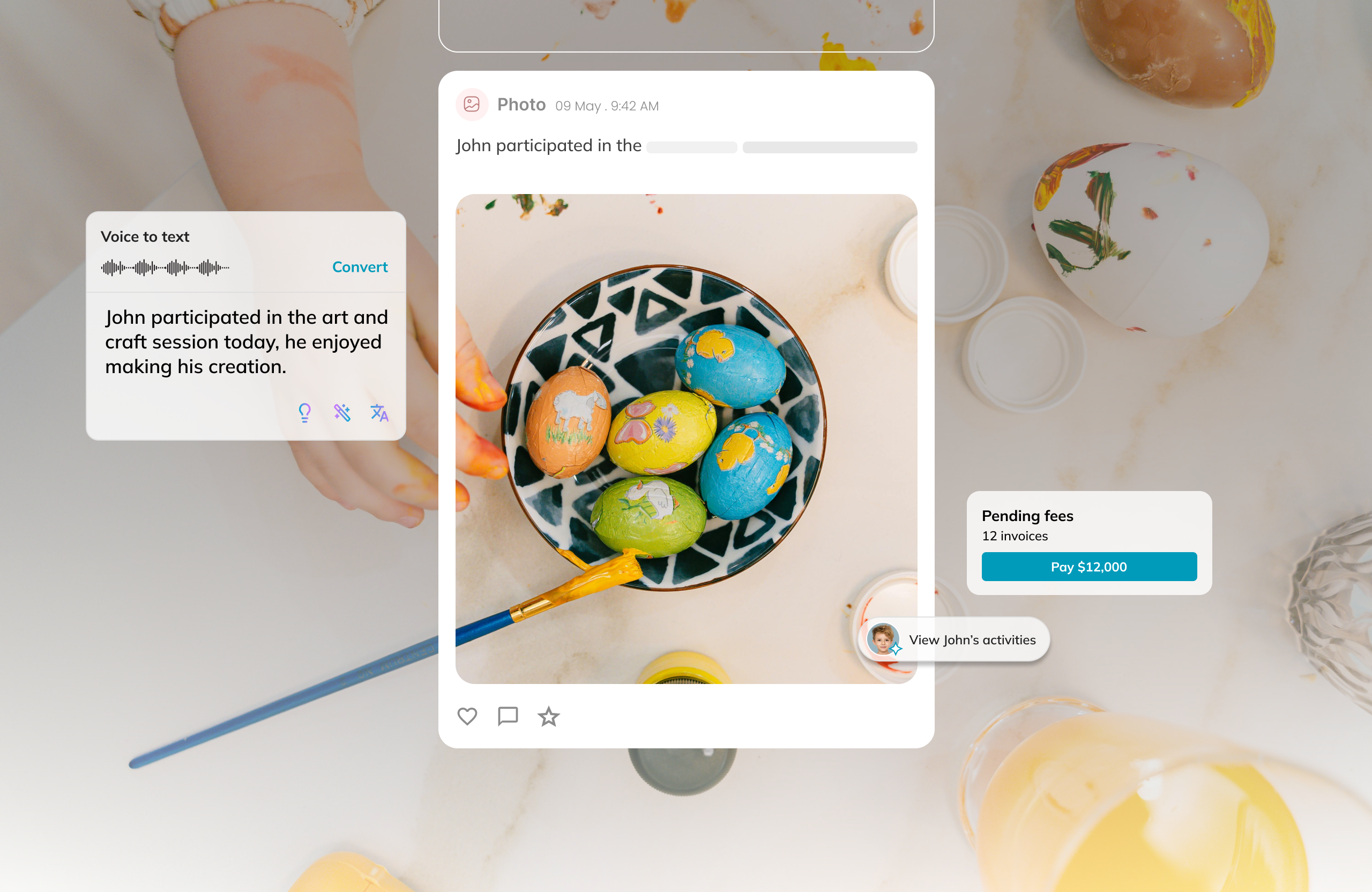
Illumine is a cloud-based management platform for childcare, preschools, daycares, nurseries etc. Its goal is to streamline daily operations (attendance, billing, scheduling), improve parent-teacher communication, my primary goal was to enable seamless communication between parents and teachers. The existing app, built six years ago, had accumulated several disconnected features over time, resulting in a fragmented experience. I led the complete redesign to unify these features, simplify navigation, and create a cohesive, user-friendly platform.
Problem
Teachers currently update daily schedules, food menus, and classroom activities manually on the whiteboard. They also record details such as how much food each child ate in a notebook. For parent communication, they depend on third-party tools like WhatsApp for one-on-one and group messaging. We are digitalising this entire process to save teachers’ time, improve documentation accuracy, and ensure better governance and transparency for the school and parents.
Instead of adding to support staff workload, the app needs to reduce manual effort and streamline routine tasks.

Business Goals
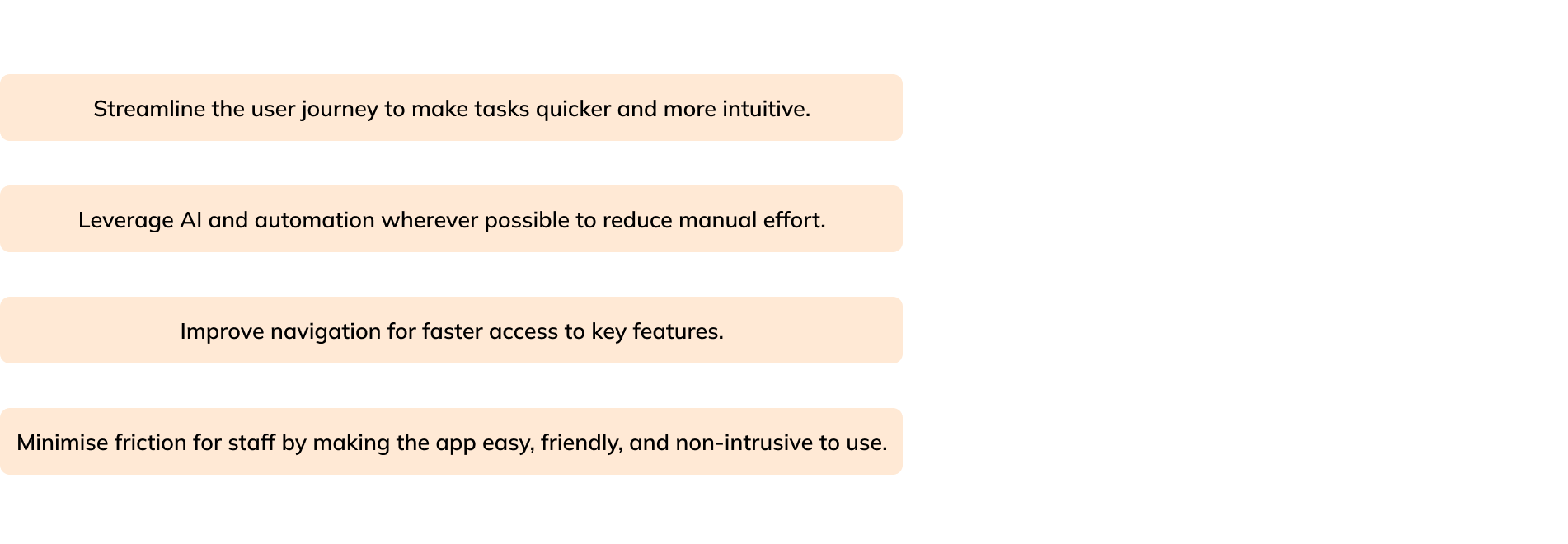
While designing, we ensured that fulfilling the business goals was a top priority.
Research & insights
Through regular conversations with teachers and support staff, we identified what they consistently look for and need throughout their workday.
What teachers/staff check daily
Daily reports status
- Ensure every child’s daily report has been sent
- Alerts if any report is still pending
- A quick daily ticker showing the number of children whose reports are completed vs. pending
New messages from parents
- Notifications for unread messages
- Ability to prioritise urgent or time-sensitive parent queries
Activity posts status
- Whether daily activities (photos, learning outcomes, skills practiced) are posted
- Alerts if activities are pending or not yet shared with parents
What information is needed first thing in the morning
Birthdays today
- To prepare celebrations and notify parents
Live child-to-staff ratio
- For compliance and classroom planning
List of absentees
- Children who are sick, absent, or on leave
🌟 Small wins that make their day
A day without any incidents
- No injuries, behavioural events, or safety issues
A day without parent complaints
- Smooth communication and expectations met
100% attendance at the nursery
- A rare but happy moment worth celebrating
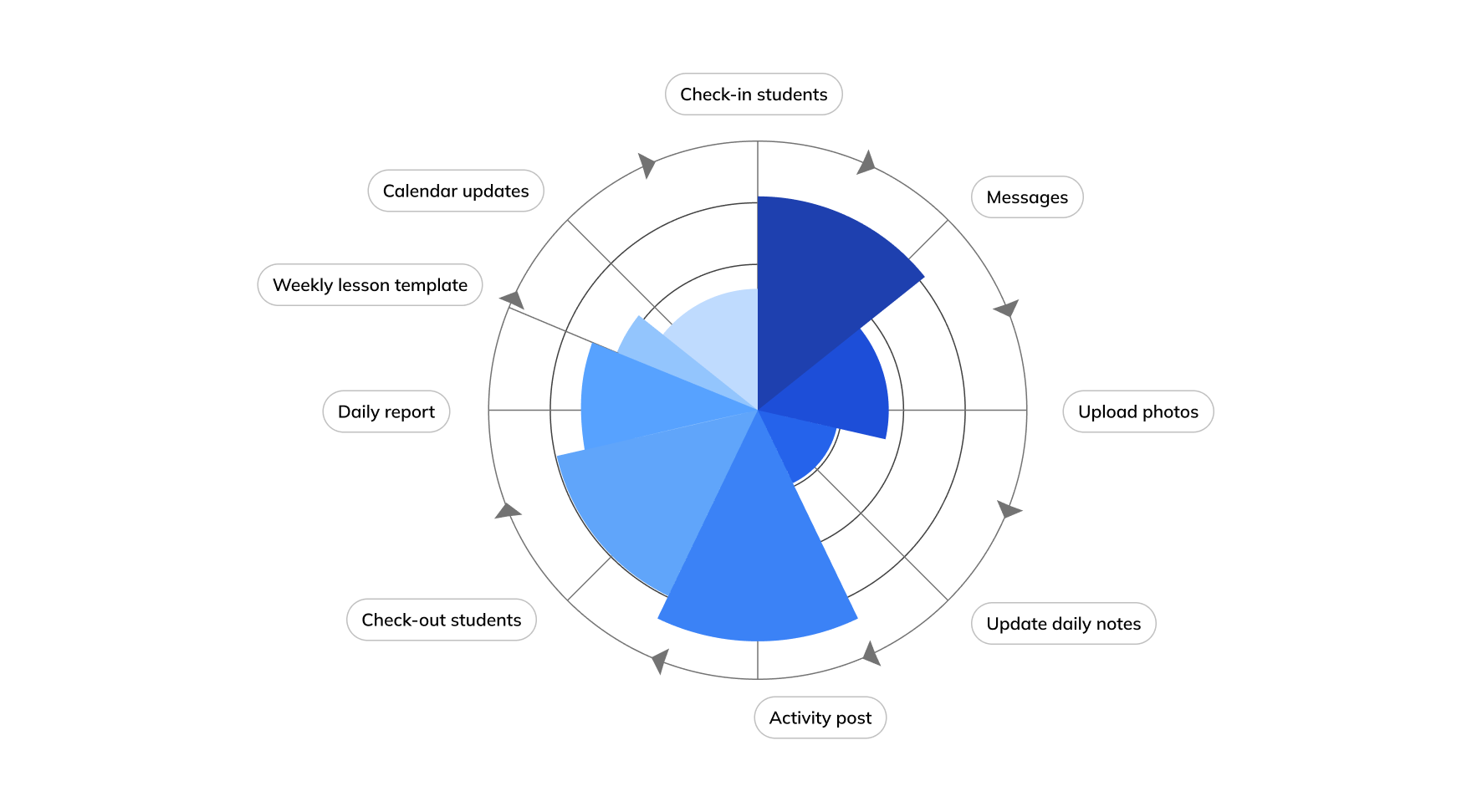
I’ve broken it into phases of a teacher’s daily interaction with the app
Information Architecture
Completely restructured the app’s IA to improve navigation and usability, providing multiple access points for activity creation and streamlined task management.
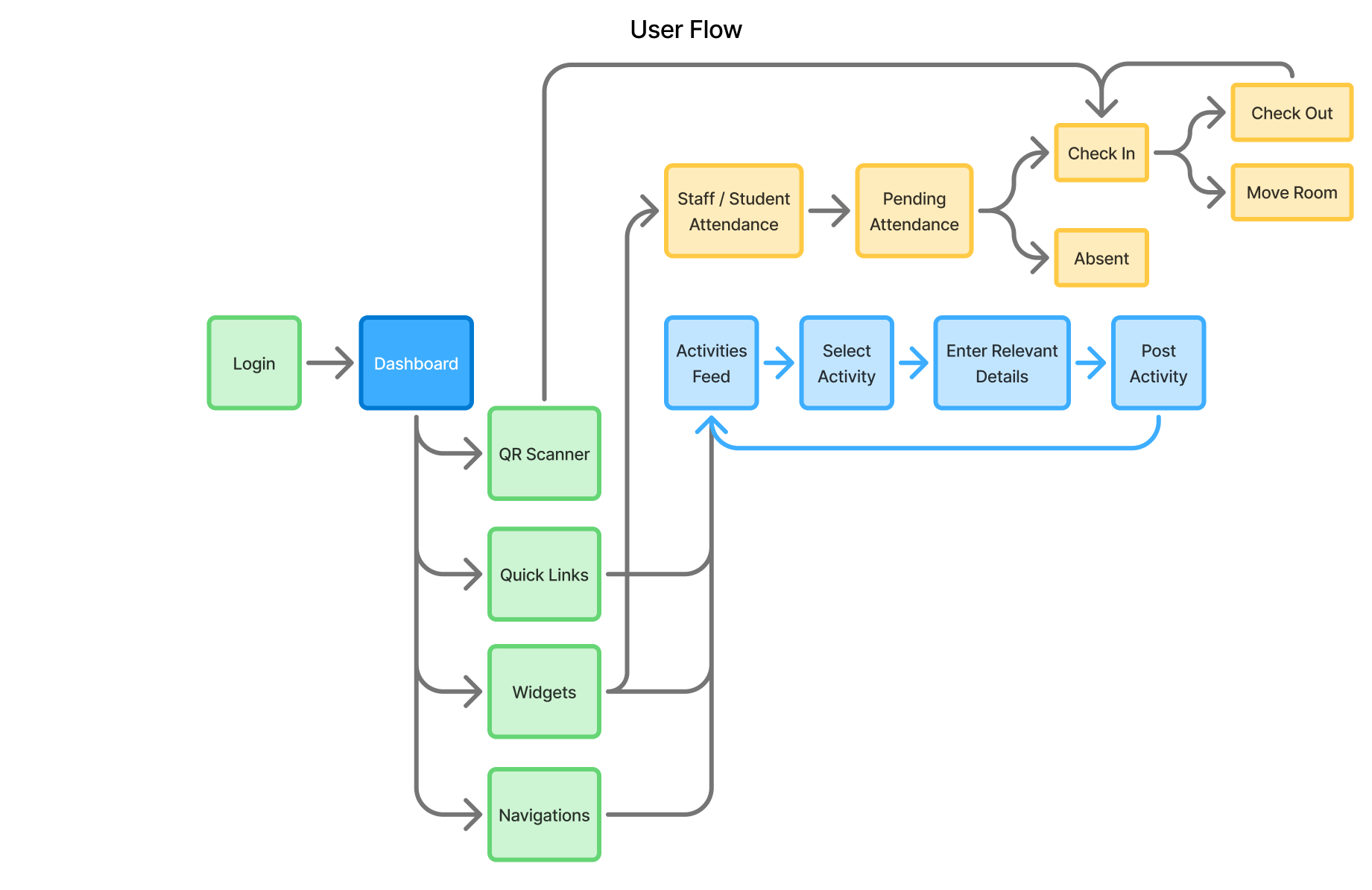
Decisions
After collecting user pain points and my own observations, I’m now ready to move forward with wireframes. I’ve documented all the suggested improvements and combined them with my insights to create rough drafts. I experimented with various versions, exploring different layouts and element placements. This is part of my process, ensuring the final product offers the best user experience and an intuitive, easy-to-use solution.
Dashboard
Quick Links - Introduced Quick links for most used features
Staff Check-In / Check-Out - Enables staff to conveniently record their attendance through the app.
Search at Your Fingertips - A powerful global search that helps you quickly access everything you need.
Attendance Widget - Displays the most relevant details: Present, Absent, and Pending, helping teachers track attendance quickly and effortlessly.
Activities - Easily accessible through Quick Links, Widgets, and the Main Navigation for a seamless user experience.
Smart Reminders - The system automatically identifies and highlights important actions, such as notifying you if no tasks have been assigned in recent days.
Parent–Staff Communication Made Easy - All parent concerns, messages, and notes are organized in one convenient place.
Photo - Activity
AI Writing Assistance - Effortlessly convert audio to text, refine it using AI writing support, and translate it into your preferred language for convenience.
Audio to Text -Teachers can record audio that’s automatically converted to text, greatly reducing their writing workload and saving valuable time.
Food - Activity
Split Menu - A frequently used feature that allows entering different quantities for each food item with ease.
Flexible Entry Options - Allows entering details for both individual students and combined student groups.
Students / Self Attendance
Attendance - Allows managing three types of attendance directly from the dashboard: Self, Staff, and Students.
Parents Note - While selecting students, staff can view parents' notes and plan the day accordingly, ensuring personalized care and better coordination.
Real-Time Attendance Widget - Helps staff instantly see how many are Present, Absent, and Pending, ensuring quick and accurate attendance tracking.
Results
Teacher Efficiency: Streamlined daily routines reduced manual effort by 50%, allowing teachers and support staff to focus more on classroom activities rather than app entry.
Task Management: AI-assisted features like audio-to-text, translation, and editing reduced teachers’ writing workload by 40%, saving significant time on daily documentation.
Navigation & Usability: Redesigned dashboard with Quick Links, Attendance Widget, and easy access to Activities improved task completion speed by 35%.
Data-Driven Decisions: Iterative design improvements based on user feedback led to a 50% reduction in reported usability issues, resulting in a cohesive and user-friendly platform.

There's more
There's a lot more, in case you are interested in taking a look at in-depth case studies from my previous projects.